
Billing that understands the rules behind the invoice.
Every school has its own fee structures, discounts, exceptions and family arrangements. Feoda BI lets finance set those rules once and run billing without rebuilding the logic each cycle.
See it in Action →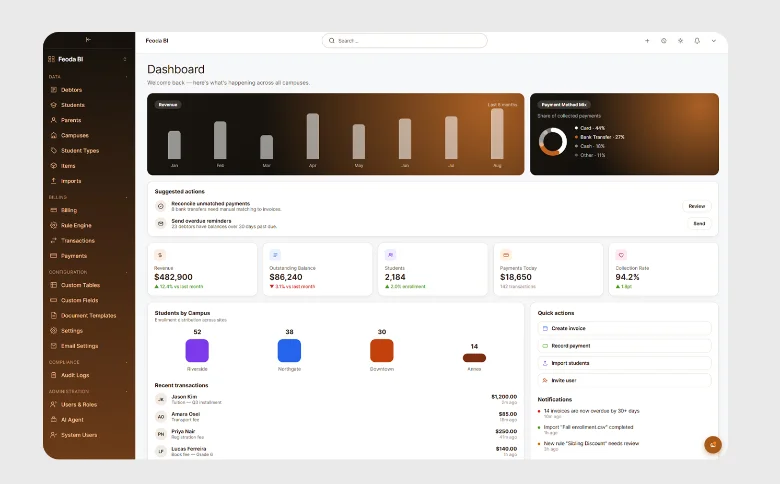
The billing cycle, end to end
Set the rules
Set billing rules for fees, discounts, scholarships, siblings and boarding — however simple or complex the combination.
Set conditions around students, families, fees and circumstances, then combine them for more complex billing.
As rules are configured, see the students and families they affect before anything is billed.
Build rules directly in the billing engine, or describe what you need to the AI assistant using text or voice.
When something changes, update the relevant rule rather than rebuilding the billing cycle around it.
Review before you bill
See who will be billed, what they will be charged and anything that needs attention before a single invoice is generated.
Review affected students and families, individual charges or billing totals across the school.
Feoda checks your billing rules against student and family data to flag anything that doesn't make sense — from an incorrect discount to fees being charged for a student who has already left.
Use the AI assistant to investigate exceptions, compare outcomes and find what needs attention.
Go family by family when you need the detail, or review totals when you need the bigger picture.
Generate and send
Once the billing run is approved, generate the invoices and send them to families by email or through the parent portal.
Create invoices for the school from the billing rules and outcomes finance has already reviewed.
Deliver invoices directly by email or make them available through the parent portal.
Nothing is generated or sent until finance has completed its review and approved the billing run.
Send generated invoices to your accounting system through integration, without entering the same transactions again.
Let families choose how they pay
Give families the flexibility to pay in the way that works for them, within the options your school chooses to offer.
Offer one-off payments, instalments or scheduled payments, with different fees paid on different dates where needed.
Let families pay using the methods your school supports, including card and direct debit.
Parents can raise a question against a specific charge, making it clear to finance exactly what they are querying.
Give families access through a payment link or a parent portal, depending on how your school wants to manage the experience.
Reconcile and follow up
Reconcile payments as they come in, see exactly what remains outstanding and follow up with the families who need attention.
Match incoming payments against the right family, invoice and charges, with payment activity sent back to your accounting system.
View balances by family and ageing period, from current amounts through to long-outstanding accounts.
Identify families with outstanding balances and send reminders directly from the information finance is already reviewing.
Track outstanding balances, credit balances and the school's overall receivables position in one view.
Additional capabilities
Around the billing cycle
The tools around billing and payments that keep the process complete, clear and connected.
Receipting
Automatically generate and send receipts when payments are received.
Donations & fees
Keep donations, fees and other payment types clearly separated and accurately tracked.
Failed payments
Identify unsuccessful payments and support the follow-up needed to resolve them.
Accounting integrations
Connect billing and payment data directly with the school's accounting system for a consistent financial record.
Governance & Audit
Role-based access, event logging, retention controls, and exportable evidence.